Saturday, July 28, 2012

OCJP Exam Details, Syllabus, Book and Dumps.


 OCJP stands for Oracle Certified Java Programmer. This is the basic certification in the field of java. Say, you want to be an Android programmer, J2EE programmer or in any other Java technology, this certification is the most basic one. For many other certifications OCJP is kind of  prerequisite. Believe me it's  good to have it in your resume in early stages of your career.
              The latest version of OCJP is OCJP 6, which is for jdk version 6. The syllabus for OCJP is basic or say core java only. There are many books  in the market for OCJP preparation. But  "Sun Certified Programmer For Java 6 Study Guide" by Kathy Sierra is simple and good one. Yes! That book with thinking statue on it's front cover.
You can download soft copy of that book from here.
             The exam is for 150 minutes with 72 questions. Passing score is just 61%. There used to be drag and drop questions, even you will find many in books and dumps. I said “there used to be”, because I think recently these kind of questions have been removed from the exam. But it’s good to be on safer site and prepare few of their type.


The syllabus for scjp is as follows :
  1.  Declaration and access control
  2.  Object declaration
  3.  Assignments
  4.  Operators
  5.  Flow control, exceptions and assertions
  6.  String ,I/O, formatting and parsing
  7.  Generics and collections
  8.  Inner classes
  9.  Threads
           These are just names of the chapters from the book which covers all the syllabus. Actually you need not to worry about exact syllabus, as that is generally stated in very vague form which is very unclear from exam point of view. At first glans this seems too easy, but tiny details of java covered in the syllabus are quite tricky and interesting to learn.
             I would suggest you to read this book and solve questions from it for detailed knowledge of the language. But if you don't have that much time or interest in it, you also can read dumps for OCJP. You can also solve these dumps after reading the book, just for extra fun.
You can download dumps for OCJP 6 from here.


                                               ALL THE BEST                                                                      

Friday, May 25, 2012

How to hide media files from a scanner in android.


There are 3 methods,  I know, which are useful to hide your media files on an Android device so that those will not b shown in Gallery.
You can choose according to level of privacy you want, and how frequently you need those files.

1.Use some app from the market (Play) :


 There are many applications on the market for hiding media files on your device.Those are most secure and give best privacy.
This is the simplest method.
But some day, your friends will see this app on your device and will come to know that, you are hiding something and would say “what a shame! What are those files hmmmm? You dirty !”


2. put those files in a folder with name starting with ‘.’  Dot.


.name
If you have used Linux you must be knowing that, a directory with a name starting with ‘.’ Is hidden one.
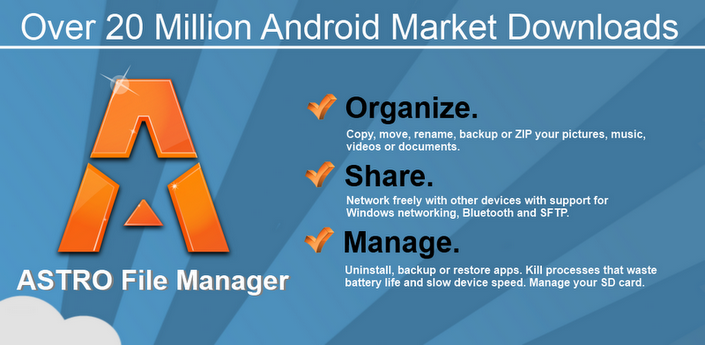
So create such a folder, using some file manager. Then copy your files you want to hide, into this directory.But you need some file manager app like Astro for this, but no need of separate hiding app and there are many other purposes of file manager ok.Also nobody would find media hiding app on your device, so they will think you are a good boy.
But be careful about choosing location of the folder, otherwise some extra curious friend of you may catch your files and you too.


3.use .nomedia named file


It’s same as second method but quite risky one. Say you want to use something different, which is android specific, then you can try this. But remember this is quite risky because of known bug in android.
For this method, create a folder somewhere using some file manager. Inside that create a file with name “.nomedia”, after that a scan will run. Then you can droop your  those files in this folder. This folder will not be scanned by next any scans and content will not be shown in Gallery.
It’s not that simple, if you place .nomedia file in a folder containing some file, those all files will b deleted, that is the bug, I now that exist in android version upto 2.2 (froyo), don’t have idea if that exist for other versions. So be careful and first place .nomedia file and then drop your personal files into the folder.


Saturday, April 21, 2012

How to create your own jQuery plugin !

Once you know jQuery, it’s simple to create your own plugin. Depending on the complexity of your plugin, you need to take care of following steps. For learning purpose it’s good to go step by step and know why do we do what we do for creating your own plugin.

1. Cross Library Safety :

(function($){

//Here $ means jQuery

})(jQuery)

This will mean $ in that particular function is jQuery, so that there will be no conflict when you or someone else is using your jQuery plugin along with other java script libraries which may use $ for their own purpose.

2.Adding function property to the jQuery.fn object :

Here you will add your plugin to $fn object as a property which makes your plugin usable. Use your plugin name here.

(function( $ ) {
  $.fn.myPlugin = function() {
  
    //your plugin stuff here

  };
})( jQuery );

3.this is a  available object :

this variable  is available directly inside your function code so …
 this.fadeIn() works here, 
so no need to use $(this) for simple plugins.

4.Better use each to iterate over elements given by Selector :

this.each(function() {
        ///Some code here
    });
so that the selector on which your plugin is called when selects multiple elements, this will get applied to all of them.

5.To maintain chainability the plugin should return this keyword :


return this.each(function(parameters) {
         var $this = $(this);
      //code using $this 
    });

So hence forth you will be using $(this), through say variable $this.
Chainability allows to perform some actions on the same element(s) one by one, which simplifies the way your plugin would be used.


6. Multiple options with default values :

For more complex plugins providing multiple attributes, it’s better to provide default values for attributes..

(function( $ ){

  $.fn.tooltip = function( options ) {  
    // Create some defaults, extending them with any options that were provided
    var settings = $.extend( {
      'location'         : 'top',
      'background-color' : 'blue'
    }, options);

    return this.each(function() {        
//use settings[“location”]  or settings.location
      // Tooltip plugin code here
    });
  };
})( jQuery );

Calling it

$('div').tooltip({
  'location' : 'left'
});

 So if you have provided default options, you can use those in your code, now it's not necessary for user to provide values for all the attributes.

Here $.extend is used which accepts two object, here first one will be default values object and second one will be one provided by the user with his values. $.extend will merge second object into first, so that if values for some options are not provided then it will take default ones.

7.Multiple Methods in plugin with NAMESPACING :

(function( $ ){

  var methods = {
    init : function( options ) { 
      // code
    },
    show : function( ) {
      // code    },
    hide : function( ) { 
      // code
    },
    update : function( content ) { 
      // code    }
  };

  $.fn. myPlugin = function( method ) {
    
    // Method calling logic
    if ( methods[method] ) {
      return methods[ method ].apply( this, Array.prototype.slice.call( arguments, 1 ));
    } else if ( typeof method === 'object' || ! method ) {
      return methods.init.apply( this, arguments );
    } else {
      $.error( 'Method ' +  method + ' does not exist on jQuery.tooltip' );
    }    
  
  };

})( jQuery );

// calls the init method
$('div'). myPlugin (); 

// calls the init method
$('div'). myPlugin ({
  foo : 'bar'
});

Call these methods by first passing the string name of the method, and then passing any additional parameters you might need for that method. This type of method encapsulation and architecture is a standard in the jQuery plugin .

Calling this,

$('div'). myPlugin ('hide'); 
$('div'). myPlugin ('update', 'This is the new myPlugin content!'); 

8.Bind an event :
If you want your plugin to bind an event, use following way (please namespace it )
And have a method like destroy as shown below to unbind what is "bind" earlier.

init : function( options ) {

       return this.each(function(){
         $(window).bind('resize.myPlugin', methods.reposition);
       });

     },
     destroy : function( ) {

       return this.each(function(){
         $(window).unbind('. myPlugin ');
       })

     },
     reposition : function( ) { 
       // ... 
     },
$('#fun'). myPlugin ();
// Some time later...
$('#fun'). myPlugin ('destroy');


So now decide on your plugin idea and start writing it.
Best of Luck.

Wednesday, April 11, 2012

Why to and How use to jQuery?

        Here I will talk about jQuery, a very useful javascipt library. I will tell you why to use jQuery and how to use jQuery.
First and very important thing about jQuery , that even you will find first on jquery.com, is that it is NOT a programming language but simply a JavaScript Library.
If you want to use it, just go to their site and download appropriate .js file. You can download either production version or Development one for you. See which one suits for you...
  •   Production Version is lesser in size, but its content is not readable so you almost can't modify it. If you don't want to modify it, use this version, as this will reduce page load time. This will have "min" it's .js file name.
  • Development version is quite larger in size and in editable format. So on other way if you want to modify this, you will go for this version.

Why to jQuery?

There are five main reasons for selecting jQuery.
  1. It is simple to use. We need to write less code and it does more(as they say).
  2. Great support from forums and easy documentation.
  3. Ajax support.
  4. jQueryUI can be used very easily to develop very good User Interface Components.
  5. Large very large actually, Number of Plugins are available, that would help you do lot more things in easy way. Plugins are available from simple ToolTip plugins to complex Image Viewer to Great Menu Structures.
And i have stated these reasons in ascending order of importance...
Plugins are very useful, you will thank them a lot when you will be in need..

How to jQuery ?

After going through why to use jQuery let's see how to use jQuery.
The basic syntax for jQuery Statement is 
 $(Selector).event();
As this is javaScript library , all jQuery lines comes under 
<Script>
</Script> tag or separate .js file.

It is always safe to write jQuery code under following function
$(document).ready(function(
{
//code here
}));
this is also jQuery statement, meaning, execute following code only after document is ready means document's DOM structure is ready.
This ready is different than onload function of javascript, ready is when whole DOM structure of HTML document is ready, and onload is when entire content, including all images on the page, is loaded in the browser.
Main purpose of jQuery is to travel through elements on the page, assign some event handlers for them and perform some action on them.


Selectors :

There are many selectors of different form,
  • Few allow you to select elements by their attributes, those of [] form.
  • Select multiple elements.
  • Select by class or id value.
  • Few of ":" type allow you to filter the set by some way like for example :first would select first element of the preselected set of elements.
  • Few playing with parent child relationships.

Events :

Events allow you to subscribe some event handles for some of the event types on some elements. Events like .click(),  .mouseover() , .focus(),  keydown() are handy.
Also there are many methods to bind particular even customized events with handlers like .bind(type , data , function), on(type,selector,data,function)  etc.


Effects :

There are many methods to apply great variety of effects to selected elements.
Ex. .css(attributes) allow you to change css properties of the elements.
.addClass(class),  .toggleClass(class)
.show()  ,  .hide(speed)
.slideDown()
.animate()
.fadeIn()  ,  .fadeOut().
and many more, and many with overloaded forms with different parameters.

Manipulation :

There are many ways you can manipulate the elements and contents of them.
Ex. .append(content) 
.after(content)
.wrap(html)
.replaceWith(content)
.empty()
.clone()

Traversing :

Few of them allow you to travel through the documents with some relations. Like for example 
.parent()    .nextAll()   .each(f)  .children() etc.

Ajax :

There is great deal of support for ajax in jQuery. At this point it's adequate to just know that it DOES support ajax with methods like.
.ajaxComplete(c)
.ajaxStart(c)
$ajax( options ) etc.


And don't forget this one jQuery Complete Cheat Sheet .


Monday, February 20, 2012

Android Apps You Must Try !


  Hello friends, this is my first blog and it is about Android apps, i though one must give a try.
So without anything other discussion lets start with app list, but remember they are in no order...

1. a Wallet -


        a Wallet is very usefull Android app which allows you to store your very sensitive data into your mobile, very secure way.  You can store your bank data, web accounts username and passwords, Computer passwords and other PRIVATE information also. It provides good templates for storing these all kind of information and even you can store few in the form of notes.


Yes it's your private mobile and you want not all of them to see your (some) videos and pictures, so this app is for you. With this app you can password protect your private videos and pictures. Even those medias you secured are not accessible from your memory card when attached to the computer.


 If you are tech freek and pass a lot of time reading news about techologies then you no more need to go to pc or laptop, you just can open this app and start reading lot of techie news. You can chose your favorite , you can search by brand or subject news.User interface is quite good but adds (sometimes) irritate a lot. But very handy app for techie people.


Very good file explorer. If you have some good backgroud of using smartphones meight be of even Nokia, you know the importance of the file explorer. It's very usefull app to access system files and to do lot more.
One very important feature is ability to take back up of the apps so that you need not to download your favorites again.

5.Private Diary 
    Do you make resolution to start writing diary almost every year, but never got it even started ? Then you must try this handy app to start and continue writing the diary. Opps i forgot to tell you that it's really simple app so that you can write it being in bed even though you are all tired.

6.Dropbox-


    Well, though there are many apps on market to sync your data across all your devices like mobile, laptop,pc etc, Dropbox is quite simple and very usefull app. Google and Microsoft are providing such services with more GBs of space than Dropbox but this app seems to continue rocking .

7.Google Goggles -


This is very fancy and rich app by Google itself. This app takes image and tries to searh it on the Internet. You can spend lot of time searching the images with or across you. Even it comes with barcode reader.

8.Handrite Free -


There are many apps on market for TO-DO list maitainance, but most of them are pure textual. This app stands out by allowing you to use your finger to write on screen and save it in your own  handwriting. Though it has some less features, its Handwriting feature makes it special one.

9.Won tube-
   Yest ! It has to do something with youtube. It is youtube video downloader. This is very nice app that allows you to download youtube videos directly to your android phone. This app is very usefull when you are using 2G network for surfing which makes it very hard to see videos online. And sorry for NO LIINK.

10.Paper toss -

 A game to pass your good time is here. You obviously might have tried to throw a waste paper into dustbin, you meight be anywhere school, home, office. Now try same exprience on your android and even here you win points for getting it right.

11. Download Blazzer-

Many download mangers are there on market. But most of them will say "Not Supported" for many files you want to download. This one comes with very intresting user interace. I have not explored it more but this is the only download manager which is there on my andi for more than 5 days.

12.nextGTv-

  You want to see TV on your android in India? This TV app you must try to enjoy tv on your mobile phone. Though not many channels are there but it provides good streaming on even 2G.

13.Sketck n Draw-

  Do you like sketching, painting or playing with such things? Then this is very good app for you. You can try various nice brushes, not like normal brushes in mspain, but quite wiered but at the the same time quite interesting to play with.

14. Browsers -
 For browser my funda is very clear since my old phones..
Opera mini - Surffing
UCBrowser - Downloading

So friends, try these apps and let me know your all kind of feedbacks.
Any new app suggesions are most welcomed.